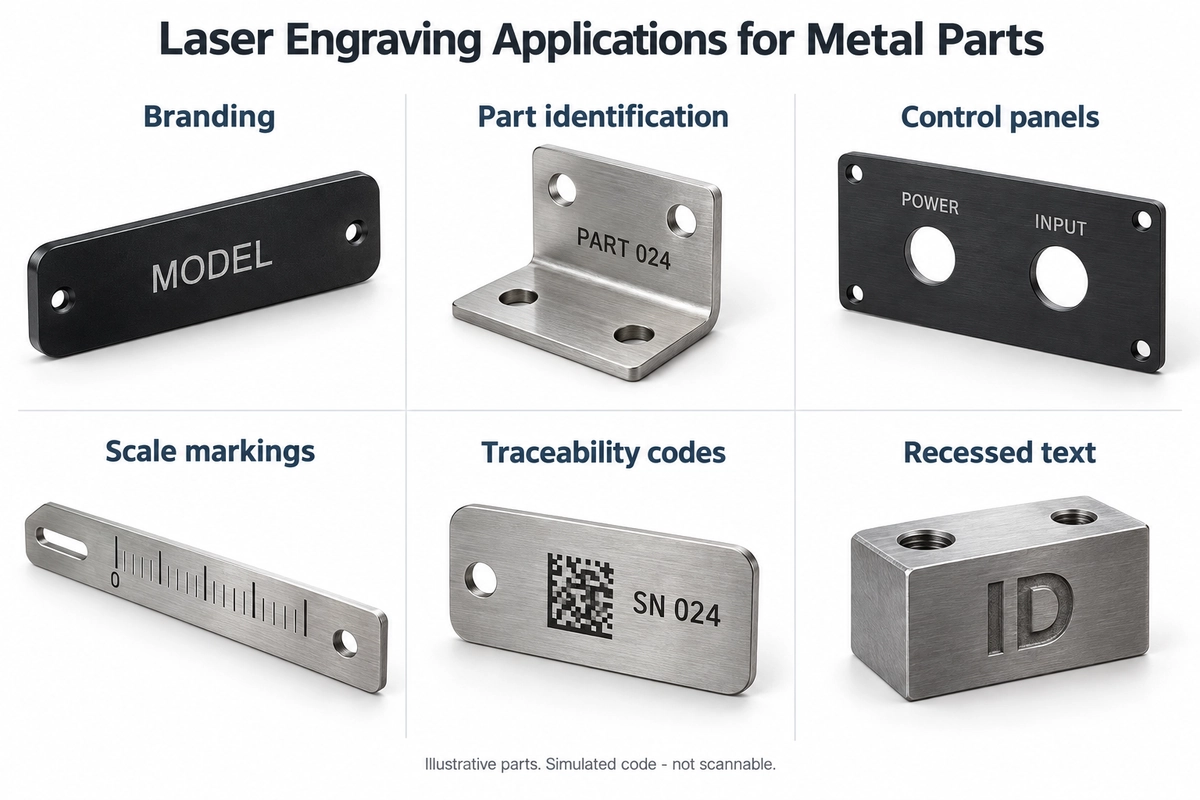
Common laser engraving applications for metal parts include enclosure branding, part numbers, tool graduation marks, control-panel text and traceability codes. Start by deciding what the mark needs to do: identify a product, guide alignment or carry machine-readable data. That purpose determines the artwork, surface result and acceptance checks.
For example, a brand name on an audio enclosure is mainly an appearance feature. Graduation marks beside a knob must correspond to its actual position, while a maintenance QR code needs to remain accessible after installation. Engineers, product designers and buyers can use these distinctions to turn an application into a clear quotation and sample request.
Choose the Surface Result for the Function of the Mark
Laser engraving usually removes material to form a recess. It is one way of producing a laser mark. Other laser marking methods change the surface condition or color without necessarily creating a noticeable groove. TRUMPF’s explanation of laser marking describes these different methods. Suppliers may use “etching,” “engraving” and “marking” differently, so specify the required surface result, depth requirements and acceptance criteria when requesting a quote.
For a clearly visible model number or logo, surface marking may be a suitable starting point. If the application needs a recess, an area for color filling or a specified depth, show that requirement on the drawing. Specify depth for a functional reason. Adding a depth requirement to a mark that does not need a recess changes the processing time and surface result without necessarily adding value.
Once the purpose, material and intended result are clear, review our laser etching and marking services for the supply scope, then discuss the process against the part drawing and acceptance requirements.
Six Common Applications for Metal Parts
| Application and typical parts |
Purpose of the mark |
What to specify before ordering |
Branding and model identification
Consumer electronics enclosures, audio panels and household hardware |
Show the brand, product model or port labels |
Final color and finish; artwork size and orientation; an appearance reference |
Part numbers and assembly identification
Brackets, connectors and internal metal components |
Distinguish similar parts, revisions and assembly positions |
Number and revision; the corresponding part; mark location; visibility after assembly |
Control panels and functional text
Appliance panels, audio control panels and switch panels |
Identify buttons, ports, operating directions and functions |
Text position relative to holes; reading direction; language version; cleaning conditions |
Graduation and alignment marks
Adjustment parts, tools, fixtures and locating components |
Indicate a setting or help align an assembly |
Zero point and datum; line positions; pointer relationship; whether the marks serve a measurement function |
Machine-readable traceability codes
Metal nameplates, part surfaces and asset tags |
Link serial numbers, batches, maintenance or product information |
Code type and data; available area; reading equipment; acceptance method |
Recessed text and graphics
Tools, mold inserts and other parts requiring recessed marks |
Create the required recessed lettering or pattern |
Depth definition; minimum remaining wall thickness for thin walls or structurally sensitive areas; edge requirements; later wear or processing |
These are application examples, rather than a capability chart for every machine or material. ASME’s overview of laser applications in manufacturing includes part identification and readable codes. The function of the individual product should determine how its mark is specified.
Use Different Checks for Scale Markings, Panels and Codes
Locate the Zero Point and Check the Installed Reading Direction
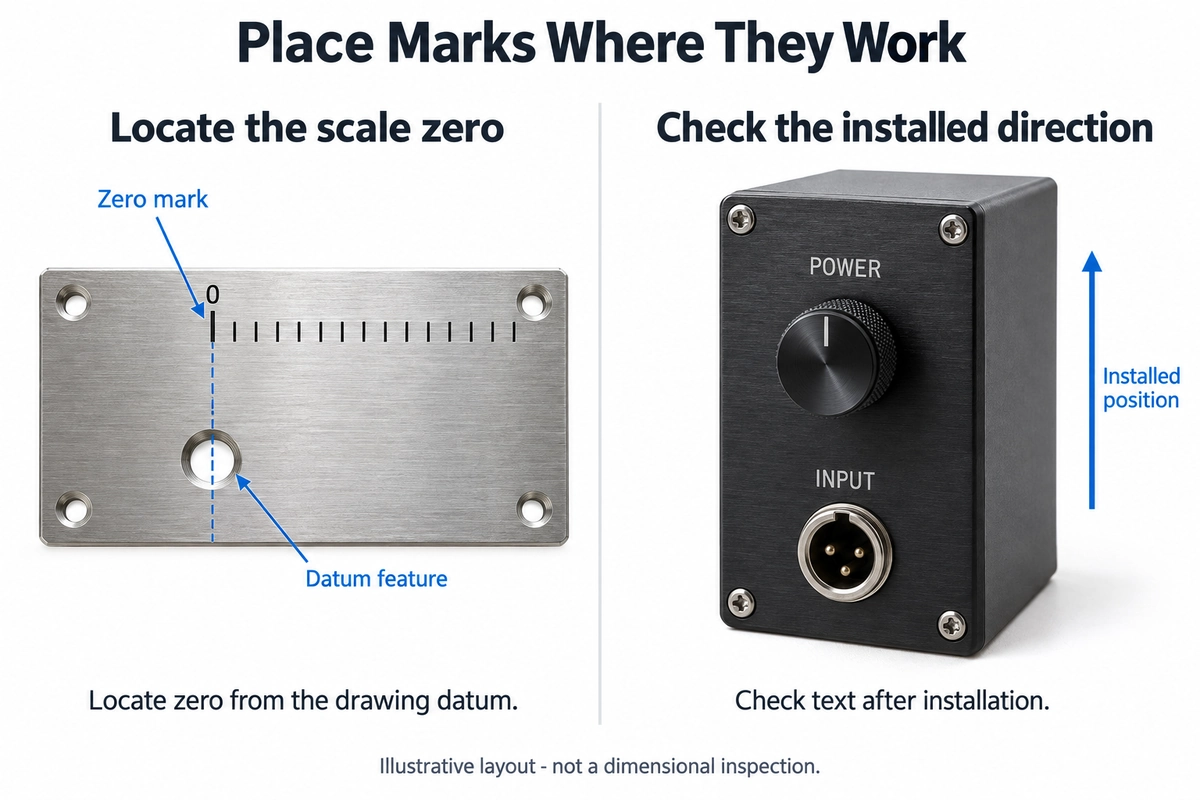
Centering a scale graphic on a part can look tidy while placing its zero point in the wrong position relative to the pointer. First define the zero point against a hole, edge or assembly datum on the drawing, then show the direction of the graduations. If the scale performs a measurement function, agree on the positional accuracy of its lines and how that accuracy will be checked. Clear-looking lines alone do not establish measurement performance.
Check panel text in the actual assembly layout. Text that appears at the top of a panel lying flat may face downward when installed. Screws, knobs or decorative covers can also obscure it. Supply both the artwork and a part drawing showing the holes, outline and installation orientation.
Define the Data and Reading Conditions for a Code
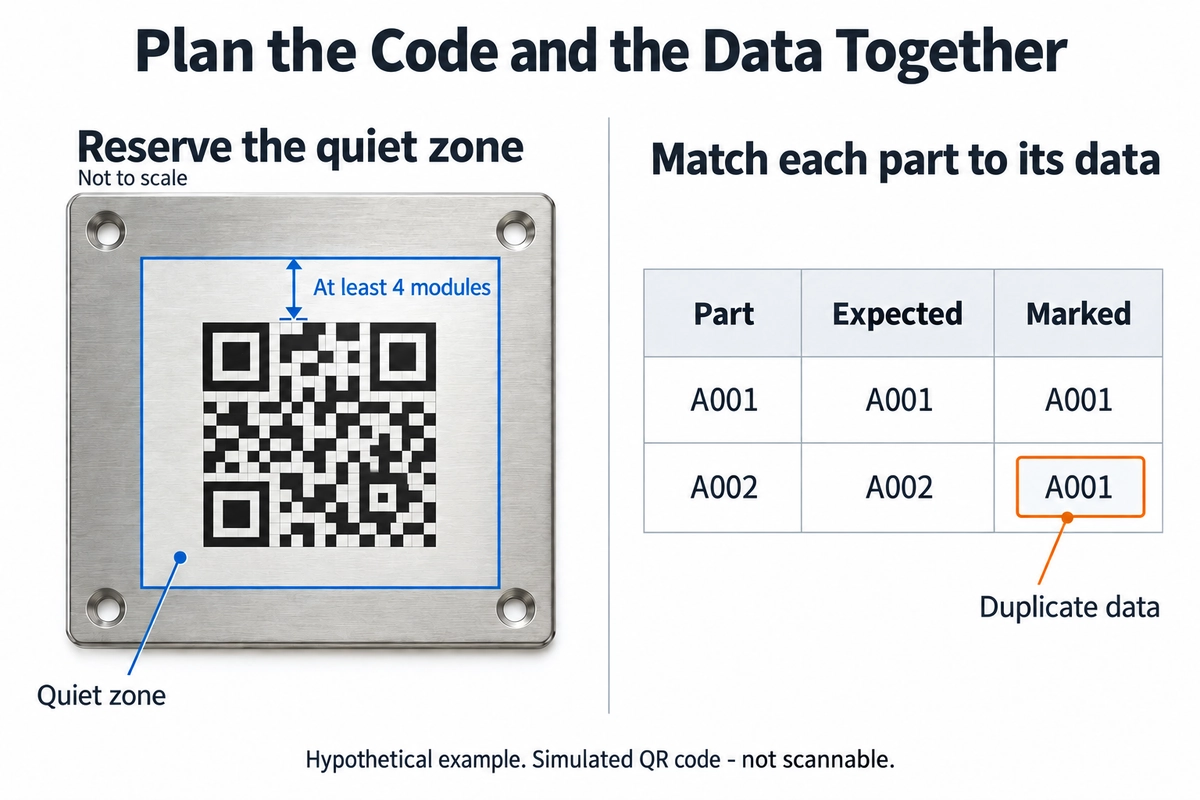
A code that opens a product manual serves a different purpose from a code carrying a part serial number on a production line. For the first, confirm the users’ phones, an accessible location and responsibility for maintaining the destination URL. For the second, specify the reader, data rules and whether a formal code-quality report is required.
A standard QR Code also needs a clear margin around it. DENSO WAVE’s guidance on code area specifies a quiet zone four modules wide on all four sides. Include that margin when checking a code near an edge, screw hole or other text. Confirm the module size and finished-code readability on the actual surface under the intended reading conditions.
Decoding the symbol, confirming that its content is correct and meeting an agreed code-quality requirement are separate checks. Cognex’s guide to barcode verification distinguishes reading from quality verification. For batches of serialized parts, also check for duplicate or missing numbers and mismatches between data and physical parts. A successful scan is not, by itself, evidence of industry certification.
Recheck the Result When the Material or Finish Changes
The same black artwork can produce different results on bare aluminum, anodized aluminum and coated metal. Technical guidance on aluminum laser marking explains the contrast differences between bare and anodized surfaces. Along with the material name, provide the grade, finish, color and order of operations.
| Part condition |
Result to confirm |
| Bare or brushed metal |
Legibility from the intended viewing angle; the effects of reflections and surface texture |
| Anodized aluminum |
Contrast against the background; whether local changes to the anodized layer are allowed and what surface requirements apply |
| Painted or powder-coated metal |
Whether the coating is removed; the substrate exposed; effects on appearance and protection |
| Stainless steel requiring corrosion resistance |
Corrosion and cleaning requirements at the marked area; the treatment sequence before and after marking |
| Parts that will later be ground or recoated |
How much of the mark later operations could remove or cover; the appropriate point in the process for marking |
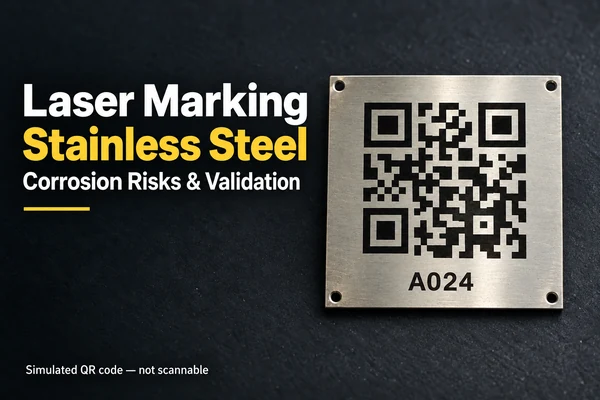
For stainless steel, include the service environment and corrosion requirements for the marked area. Our article on laser marking and stainless steel corrosion resistance discusses this further. If painting, polishing or other treatments follow marking, confirm the sequence first. For dimensional effects, see how surface finishing affects metal part dimensions.
Turn an Application Into a Sample Request
The following three hypothetical requests show how to turn a general purpose into useful sampling requirements. They illustrate the approach; specific parameters depend on the actual part.
| Initial request |
Requirements for a sample |
| Put a brand name on an aluminum audio enclosure |
Confirm the anodized color and marking result; supply the logo artwork; show size and orientation on the assembly drawing; approve appearance on the actual finish |
| Add graduation marks to an adjustment part |
Define the zero-point datum, graduation direction and line positions; state whether the marks are used for measurement; agree on the positional checks |
| Put a different QR code on each metal nameplate |
Provide the code type and data table; define which data row belongs to each plate; agree on reading conditions, data checks and handling of nonconforming items |
All three jobs may be described as “laser engraving,” but their quotation and acceptance requirements differ. Repeated logo artwork mainly needs appearance and placement control. Graduation marks need a datum. Variable QR codes also need a reliable link between each data record and its physical part. Explaining those differences helps suppliers prepare comparable quotes.
Approve Samples in Their Final Condition
Review samples as close as possible to the delivery condition. Use the actual material and finish, position panels in their intended orientation and check codes with the agreed reader and distance. If a mark will face repeated rubbing, cleaning chemicals or outdoor exposure, explain those conditions and agree on a validation method before production.
Review fixed artwork and variable content separately. For fixed content, check the wording, font, graphics and placement. For variable content, check the data source, numbering rules and match to the physical part. Confirm the version after text or batch data changes so that an otherwise acceptable part does not carry outdated information.
To discuss metal part marking with Tongyong, send the part drawing, material and finish, marking artwork, quantity, service environment and acceptance requirements. If the order also includes part manufacturing, use our custom metal parts RFQ guide to define the scope, then contact us to discuss the process, samples and supply requirements.
Information Sources
ASME — 7 Top Applications of Lasers in Manufacturing
TRUMPF — Laser marking
KEYENCE — Aluminum Laser Marking & Engraving Solutions
DENSO WAVE — Point for determining the code area
Cognex — Barcode Verification 101 Understanding the Barcode Grading Process